Enterprise AI Co Work: Leap the Gap from Chatting to Doing — With IT Actually on Board
The Enterprise AI Adoption Problem Nobody Wants to Say Out Loud
Your team has been "adopting AI" for two years. Here's what that actually looks like:
- The marketing lead uses ChatGPT Plus on a personal card
- Three engineers have Claude subscriptions they expense
- The ops team built something in Notion AI
- Someone in finance connected Zapier to OpenAI and it's doing... something
- Engineering has six different MCP servers configured locally, none of them documented
- And your CISO has no idea what any of it can access
This isn't a productivity story. It's a shadow IT story with an AI wrapper.
That's the gap. And it keeps getting wider every time someone expenses another ChatGPT subscription.
The Part That's Harder Than It Sounds: Getting IT to Say Yes
Enterprise AI adoption has a dirty secret: most of the resistance isn't irrational.
When IT pushes back on a new AI tool, they're asking legitimate questions:
- Who authorized this API connection? When someone connects their personal ChatGPT to your HubSpot data via a custom integration, IT didn't grant that. The employee did. Now there's a live connection between a third-party model provider and your CRM — and nobody has a record of it.
- What can it access? Most AI tools use OAuth with broad permission scopes. The user clicks "Allow" and grants read-write to calendar, email, and contacts. The AI vendor's terms of service govern what happens to that data. Not yours.
- Who revokes it when they leave? When an employee with five individually-configured AI integrations leaves the company, does IT know to revoke all five? Probably not.
- What did it do? Agentic AI can initiate independent actions across systems. 80% of organizations report encountering risky behaviors from AI agents — improper data exposure, unauthorized system access. If there's no audit log, you don't find out until something breaks.
These aren't theoretical concerns. They're the operational reality of letting fifty people run their own AI stacks against your production data.
Going from Chatting to Doing — Without the Frankenstein Stack
Most enterprise AI is still chat. You describe a task. The AI explains how to do it. You go do it.
That's not a cowork. That's a very fast search engine.
Every Monday 8am:
1. Pull Fireflies leadership sync transcripts — extract decisions + open questions
2. Fetch KPIs from the database
3. Pull support trends from Intercom
4. Generate formatted ops report
5. Post summary + report to #ops-weekly
That runs. Not "here's how you'd do that." It runs. In 28 seconds. Every Monday. Without anyone touching it.
The difference between chat AI and an execution-first cowork isn't the model. It's whether the AI has hands. Whether it can actually touch your Stripe account, your QuickBooks, your GitHub — and return a completed result, not a tutorial.
Why CoWork Enterprise Is Different From Claude Cowork
Claude Cowork is a well-built product. Anthropic is serious about it. But it was built on top of a chat product — and the enterprise story is being added around that foundation.
That shows up in three specific ways that matter to IT and security teams.
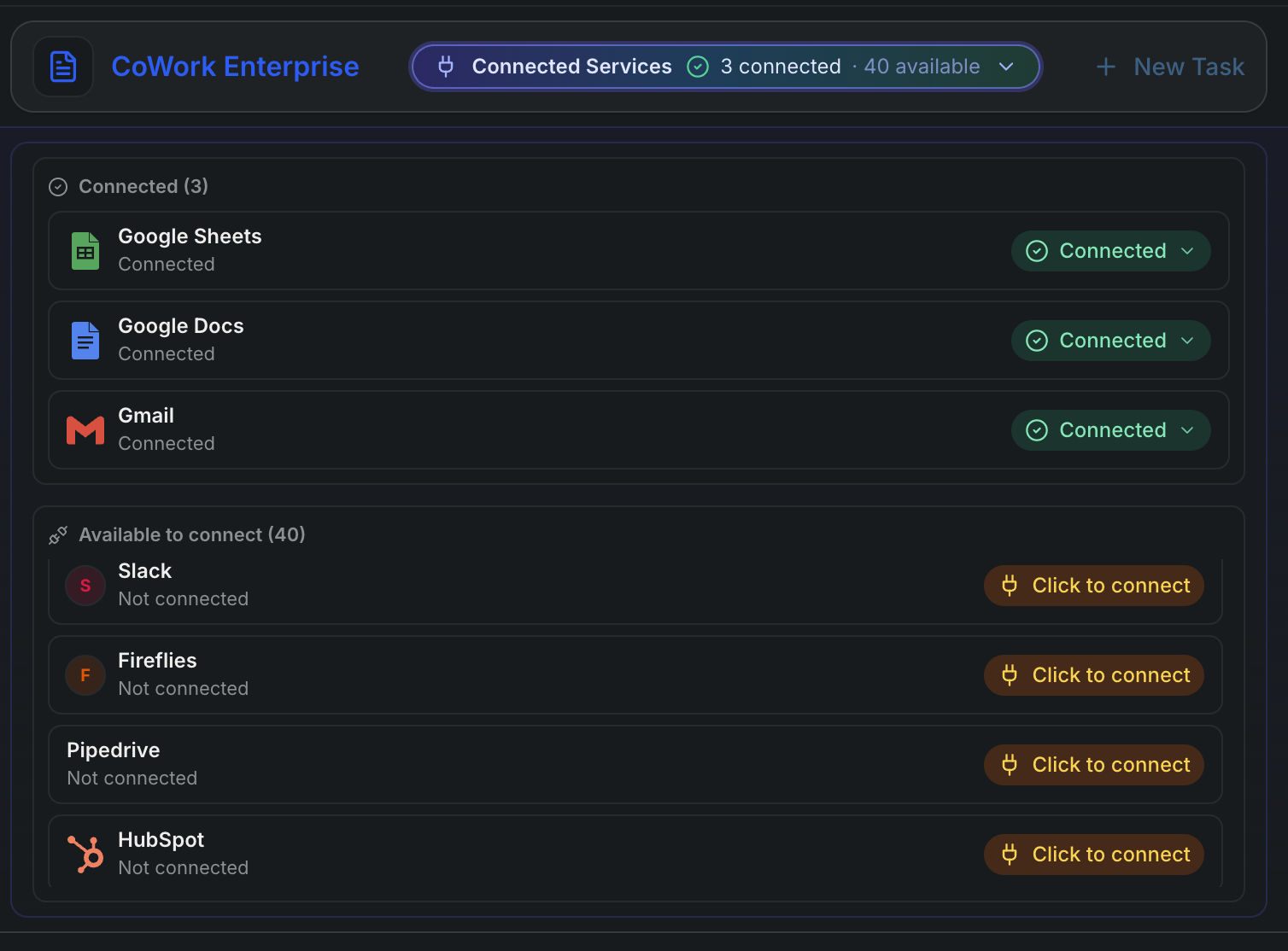
1. Delegated OAuth — IT Controls What AI Can Touch
With individual AI tools, each employee configures their own integrations. They grant OAuth access. They choose the permission scope. They're the admin of their own little AI stack. IT doesn't see it. IT can't revoke it centrally. IT can't audit what ran.
Your IT team can sleep at night because they're the ones holding the keys.
2. One MCP Server — Not Forty
The MCP (Model Context Protocol) ecosystem is genuinely exciting. It's also a configuration nightmare at scale.
Getting ten engineers to configure their own local MCP servers — different JSON configs, different versions, different auth setups, none of it centralized, none of it audited — is just shadow IT dressed in developer tooling. It looks structured from the outside. It's chaos at the seams.
You're not replacing a Frankenstein mix of local configs with a slightly better Frankenstein mix. You're replacing it with one thing.
3. Code Execution as the Control Plane — Not Chat + Plugins
The architecturally important difference: CoWork Enterprise is built on a code execution engine. Claude Cowork is built on a chat interface with execution capabilities bolted on.
That matters because when every action flows through a sandboxed execution layer:
- Every operation is auditable — you know exactly what ran, what parameters it used, and what it returned
- Every failure is reproducible — you can replay it, inspect the state, debug the exact step that broke
- Every task can be scheduled, versioned, retried, and logged — not just run once in a chat window and forgotten
- Scope is enforced at the execution layer — not by trusting the model to "only do what it was asked"
Chat + plugins means the execution model is implicit and emergent. Code execution as a control plane means the execution model is explicit and auditable. For teams running automated workflows against production systems, that's not a philosophical difference — it's the difference between something you can propose to your security team and something you can't.
Built for Your Role. Mold It to Your Stack.
Every team has the same core problem: work that requires pulling data from multiple systems, reasoning about it, and doing something with the result. That's not engineering. That's just Tuesday.
CoWork Enterprise doesn't come pre-configured for one workflow. You describe the outcome. It figures out how to get there across whatever SaaS stack you're working in. Here's what that looks like for three roles that have been asking for this the longest.
The Product Manager
Every sprint close, every planning cycle, every roadmap review — the work is the same: pull data from five different places, format it into something human-readable, and distribute it before the next meeting starts. That's an hour of your week you spend as a copy-paste machine.
Here's what a CoWork task looks like instead:
Every Friday at 4pm:
1. Pull completed Jira issues from current sprint (project: PLT)
2. Fetch Fireflies transcripts from this week's planning + design syncs
3. Pull any Monday.com cards that moved to Done this week
4. Check calendar for next week's scheduled reviews
5. Generate sprint wrap-up: delivered items, open questions from transcripts,
   blockers that slipped, agenda suggestions for Monday's planning call
6. Post summary to #product-weekly in Slack
7. Update the Notion sprint retro page with the full report
That runs every Friday at 4pm. You get a Slack notification when it's done. Monday morning, the retro is written, the digest is posted, and you walked into the weekend without typing a single summary.
The skill retains state week over week — it tracks which items were flagged as blockers, which slipped from the previous sprint, and notes that pattern in the report automatically.
The Marketing Manager
Marketing is one of the highest-volume multi-system jobs in any organization. You're managing content calendars, tracking keyword rankings, monitoring post performance, and trying to figure out what's working — across four or five platforms that share no data with each other.
Here's what a CoWork task looks like:
Every Monday morning:
1. Pull last week's LinkedIn post performance — impressions, engagement rate, top post
2. Pull X engagement metrics for the last 7 days
3. Query Ahrefs for keyword position changes on the top 20 tracked terms
4. Fetch any new blog posts published last week from the CMS
5. Cross-reference: which published posts drove keyword movement?
   Which LinkedIn posts had the best engagement by topic?
6. Generate a weekly content performance brief:
   — What's working (keyword + social angle)
   — What to push harder this week
   — Suggested post angles based on rising keywords
7. Update the content tracker in Google Sheets
8. Post the brief to #marketing-weekly
You're not waiting for a BI dashboard that may or may not have been updated. You're not logging into four platforms to manually pull numbers into a spreadsheet. The brief is waiting in Slack Monday morning, and it already tells you what to do next.
And when a piece of content performs well? You save a skill that clips that exact query pattern — "what keywords moved when we published about X" — and run it on demand against any new piece.
The Business Analyst
Analysts live in the gap between raw data and the decision-maker who needs a summary. The actual analysis takes an hour. The wrapping — pulling the right data, formatting the tables, writing the narrative, sending the right version to the right person — takes three.
Here's what a CoWork task looks like:
Every Thursday before the leadership sync:
1. Pull the weekly metrics dataset from the connected database
2. Fetch Fireflies transcripts from this week's team syncs —
   extract any decisions made or open questions flagged
3. Pull the current Power BI export for the revenue dashboard
4. Cross-reference: which metrics moved? Which decisions from the transcripts
   relate to those movements?
5. Generate a pre-meeting brief:
   — 5 key metrics with week-over-week delta
   — Decisions made this week that affect these numbers
   — 3 questions the leadership team will probably ask, with answers ready
6. Update the Google Doc used in the sync (replace last week's brief)
7. Email the brief to the exec distribution list with a one-paragraph summary
The analyst still owns the analysis. The judgment of what matters is yours. CoWork handles the mechanical work of pulling, formatting, and distributing — so you're spending your time on the part that actually requires you.
The pattern is the same everywhere: multiple systems, real output, no manual assembly between tools. The specific tools change. The problem doesn't.
When a Task Works: Skills and Scheduling
A Skill is a persisted, schedulable version of that task. It runs on the schedule you define, retries on failure, maintains state across runs, and logs every result. You get notified on completion or failure.
jsexport const sprintWrapUp = skill({
  schedule: "0 16 * * FRI",
  run: async ({ apis }) => {
    const sprint = await apis.linear.getCompletedIssues("PLT-24")
    await apis.notion.updateRetro("platform-retro", sprint)
    await apis.linear.moveSlippedIssues("PLT-24", "PLT-25")
    return apis.slack.post("#product", buildSprintSummary(sprint))
  },
})
That's not infrastructure you built and have to maintain. That's a task that worked — turned into a workflow that runs itself every Friday at 4pm, logs results, and notifies you if anything breaks.
This is how ad-hoc tasks become automated workflows without a platform engineering sprint.
How It Compares
| AI CoWork for Enterprise | Claude Cowork | |
|---|---|---|
| Runs in browser — zero install | ✓ | — |
| Delegated OAuth (IT controls auth) | ✓ | — |
| Unified MCP server — no per-user config | ✓ | — |
| Audit logs & full data export | ✓ | — |
| Code execution as the control plane | ✓ | — |
| Persistent state across sessions | ✓ | — |
| Reliable scheduled automation | ✓ | — |
| Suitable for regulated workloads | ✓ | — |
| Bring your own API keys (BYOK) | ✓ | — |
| Model flexibility (GPT-4o, Gemini, etc.) | ✓ | — |
| Team admin controls (SSO, roles, policies) | ✓ | Partial |
| MCP integration | ✓ | Partial |
The core difference: Claude Cowork is built on top of a chat product and extended toward enterprise. CoWork Enterprise is built on top of an execution engine and designed for enterprise from the start — with IT-controlled auth, a centralized control plane, and one MCP server to replace the collection of configs your team has accumulated.
Two Steps to Get Started
No desktop app. No IT ticket. No install.
14-day free trial. $29/mo after. No card required to start.