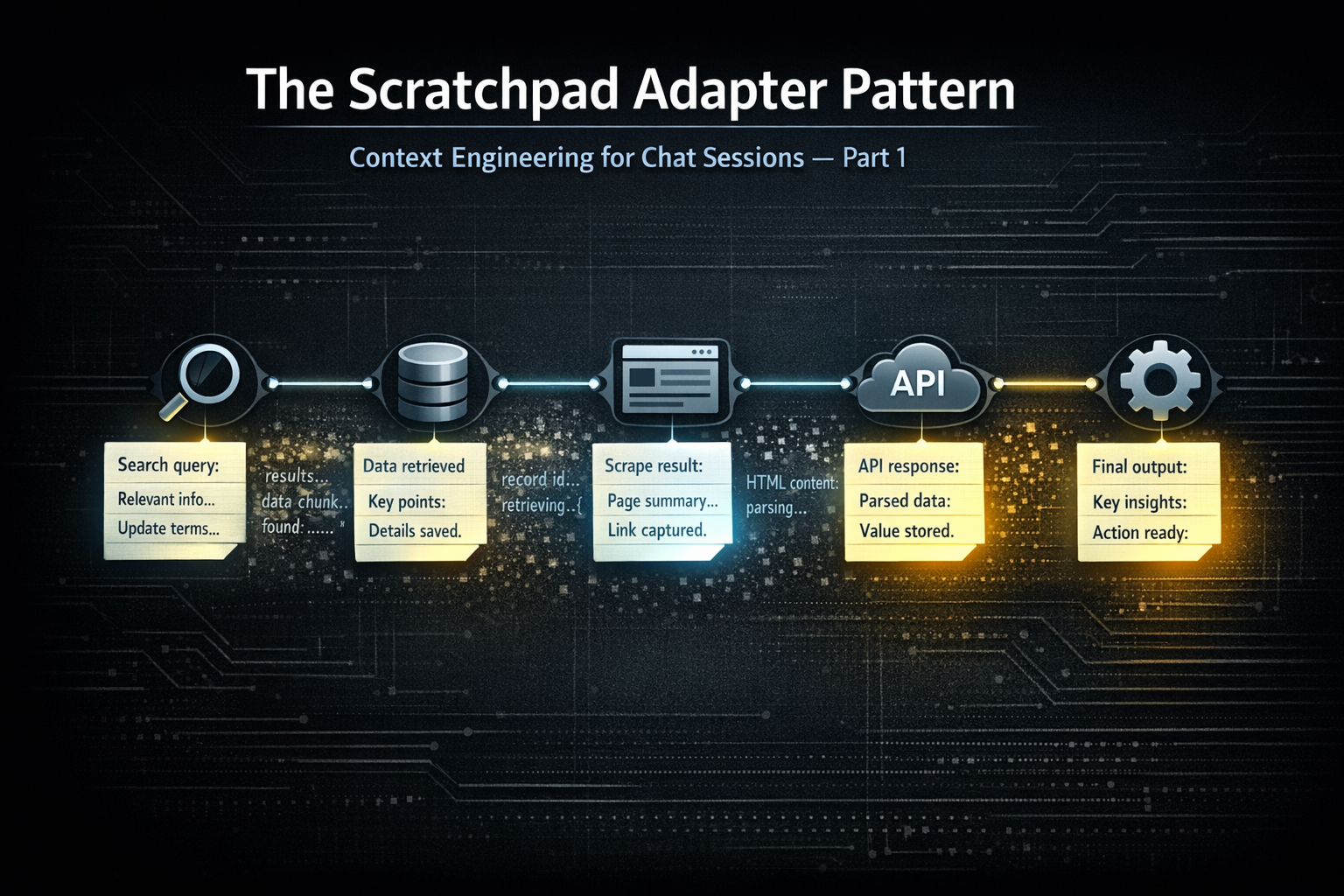
The Scratchpad Decorator Pattern
Date: February 2026
task_scratchpad parameter so the model is structurally prompted to extract what matters on every tool call — especially when tool responses may be pruned next iteration.function_call record, so chat history becomes a scratchpad of focused extractions. You can prune raw tool responses however you want downstream; the signal stays in the flow.The Typical Approach
The standard way to give an agent a running memory is a dedicated scratchpad tool — a function the agent can call to save notes as it works. This is a reasonable instinct. The problem is that it shifts the responsibility entirely onto the agent to decide when to take notes.
"As needed" is difficult to engineer without significant system prompt investment. You need the model to recognize, consistently, at the right moment, that this is a step worth recording. Instructions to that effect compete with everything else in the prompt and fade in weight over a long task. You get note-taking sometimes. Not reliably. Not at the moments that matter most.
There is also a subtler issue with what gets written. When an agent calls a scratchpad tool voluntarily, the output tends to be a status update — a summary of where it is in the task. "Completed the data fetch, moving to reconciliation." That has value, but it is not the same as extracting the specific facts, values, and findings from a tool response that downstream steps will depend on.
The Scratchpad Decorator Pattern
The scratchpad decorator pattern is an infrastructure approach to the same end — similar in goal, more effective in practice. The core difference is that it removes the assistant from the decision of whether to engage memory at all.
Memory management failing at the assistant level is really an infrastructure problem. The assistant is not well-positioned to manage its own context hygiene reliably across a long task. The infrastructure is. The scratchpad decorator pattern is a step in that direction — the infrastructure owns the structure, the assistant owns the reasoning.
task_scratchpad parameter is adapted into every tool schema in your registry. It appears on every tool call, every time, as a natural part of the interface:typescript{ name: "task_scratchpad", type: "string", description: `Use this scratchpad to record facts and findings from prior tool responses you will need in downstream steps of this ReAct loop. Be extractive (signal, not status). Record specific values, IDs, amounts, and decisions. Do not re-record facts you've already captured. Tool responses may be pruned from context in the next iteration, so capture what you need before that happens. If nothing new, pass an empty string.` }
A traditional dedicated scratchpad tool asks the assistant to remember to think about memory. This asks memory consideration to show up at the table on its own.
function_call record contains the full argument set including the scratchpad value. It stays there. No separate memory system. The chat history is the scratchpad.What the Notes Actually Look Like
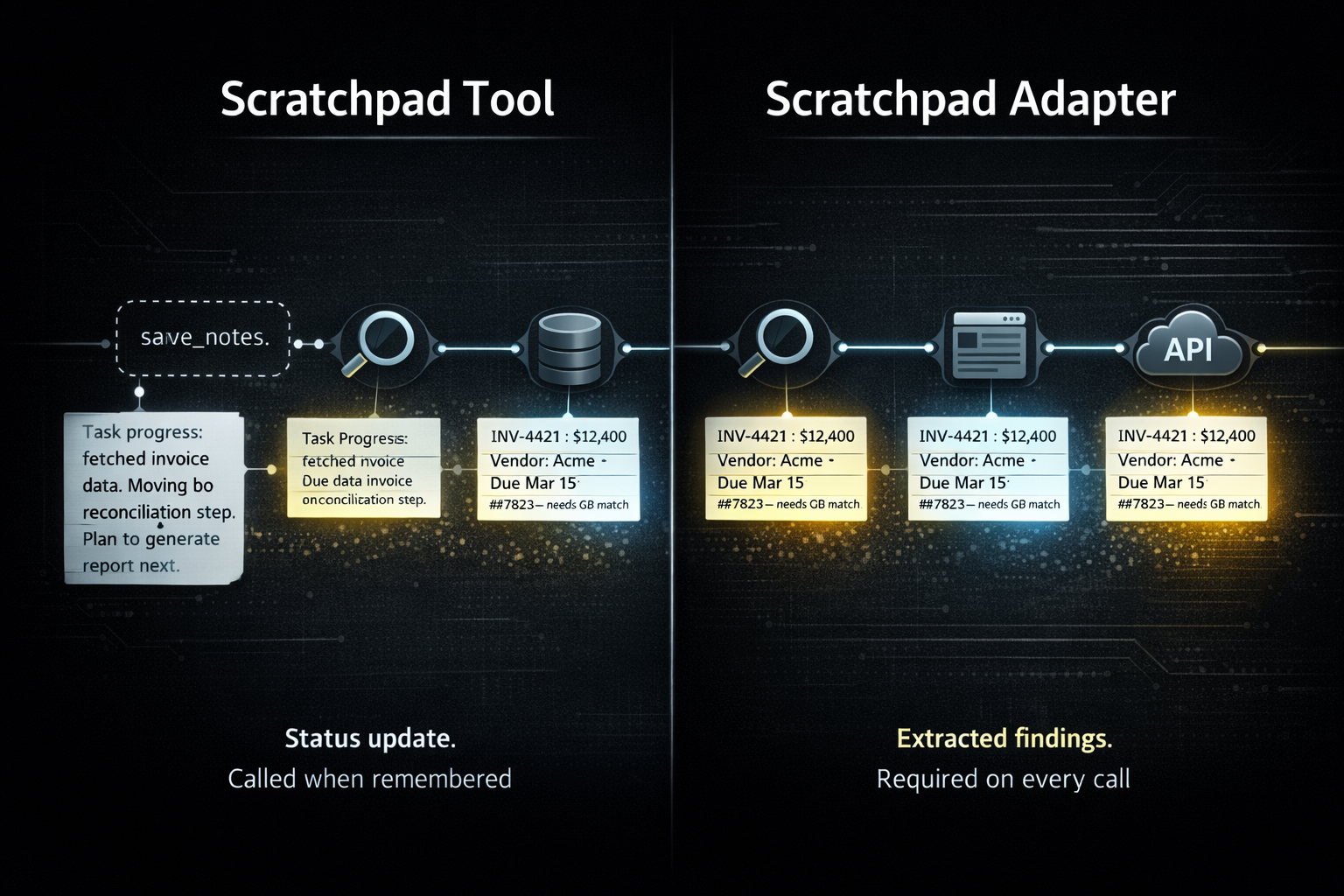
These are not summaries of what was searched or retrieved. They are extractive — specific facts and deduced values the agent pulled from the tool response because they are relevant to what comes next.
A note after processing a vendor invoice:
"Vendor: Acme Supplies. Invoice #4421. Total: $12,400. Line items: 40 units × $280 + $600 shipping. Due: March 15. References PO #7823 — needs to match QuickBooks entry."
A note mid-reconciliation after pulling a QuickBooks chart of accounts:
"Revenue: 4000 (Product Sales), 4100 (Service Revenue). COGS: 5000. Discrepancy flagged: $3,200 in account 4100 unmatched to Stripe deposit batch B-0441. Three deposits pending review."
A note during a multi-step research task:
"Budget ceiling confirmed: $2,000. Vendor A quoted $1,840 (in range). Vendor B quoted $2,400 (over). Links queued for spec review: [url1], [url2]. Vendor A lead time: 6 weeks."
What survives in each case is the calculated, deduced, decision-relevant extract. Not a description of the response. Not a status update. The raw responses those notes came from may be large — a full invoice object, a complete chart of accounts, a lengthy search result. The note is a fraction of that, carrying exactly what the task needs forward.
This is extractive summarization applied at each step of a task. The agent determines what is relevant to the work ahead and extracts it precisely. General abstract summarization averages everything; this extracts what matters.
Pruning and the Scratchpad Decorator Pattern
Pruning is the motivation for this pattern. Removing old tool responses from context to manage context size is standard practice in any production agentic system. You can prune without a scratchpad — but when you do, you lose both the raw response and any signal it contained. The scratchpad decorator pattern is the response to that loss.
Together they form a complete approach. Pruning keeps the context window manageable. The scratchpad decorator pattern ensures that what gets pruned has already been extracted from. What makes it distinct is the nature of that extraction: this is extractive summarization — not abstractive. The agent pulls specific facts and values from the response related to the task rather than generating a generalized abstractive summary of it. The bulk goes; the signal stays.
Images, for instance, make this concrete. A browser snapshot, a rendered PDF page, a visual asset — these cannot stay in chat history at their original size. They get replaced with a placeholder and shown ephemerally for one inference pass. Without a scratchpad note, that single pass is the only chance to capture what was seen. With one, the agent's read of the image survives the pruning cycle intact.
The practice: extract, then prune. The note is the useful content. The raw response is overhead.
Extending Time to First Summarization
There is a point in every long agentic workflow where context pressure requires a more aggressive intervention — compression, full summarization, external memory retrieval. This pattern delays that point significantly.
When the context accumulating across a task consists of small, targeted extractive notes rather than full tool responses, you can run substantially further before hitting that threshold. The longer you can push that out, the more headroom and context the agent has to work with.
This is not a replacement for those techniques. Compression, recursive summarization, retrieval-augmented generation — all of that still applies and layers cleanly on top. What this pattern provides is the foundation: a structurally enforced habit of extracting only what is needed at each step, so the context that accumulates is as lean as the task allows.
Applying the Pattern
If you control the tool server or MCP server, the parameter can be added directly to the schema there — that is the cleanest path and the one we use for our own tooling. In most cases you won't control every server you integrate with, so the injection point is the adapter layer between tool discovery and the LLM — one place, all tools, before schemas reach the model.
The pattern is not specific to MCP. Any function-calling setup has a schema layer where this can be applied.
Wiring it up (@modelcontextprotocol/sdk)
function_call history.typescript// decorator — wraps each tool schema, MCP server is never touched const withScratchpad = (tool: McpTool): McpTool => ({ ...tool, inputSchema: { ...tool.inputSchema, properties: { ...tool.inputSchema.properties, task_scratchpad: { type: "string", description: "..." }, }, required: [...(tool.inputSchema.required ?? []), "task_scratchpad"], // required or model skips it }, }); const tools = (await client.listTools()).map(withScratchpad); // strip before forwarding — already captured in function_call history async function callTool(name: string, args: Record<string, unknown>) { const { task_scratchpad, ...mcpArgs } = args; return client.callTool({ name, arguments: mcpArgs }); }
The “required vs optional” dial is yours. Optional will reduce tokens, but required typically improves consistency. As model reliability increases, you'll likely loosen this over time without changing the pattern itself.
When to Use It
Multi-step workflows where tool responses at step 2 matter at step 5. Research tasks where findings need to accumulate across many calls without growing context proportionally. Reconciliation workflows where specific values, IDs, and discrepancies need to thread through a long chain of lookups. Any process involving images or large payloads that will be pruned before the task completes.
Single-call tasks don't need it. Simple lookups don't need it. The pattern pays off proportionally to the depth and duration of the task.
Related Reading
- Code Execution as a Service for AI Agents — Infrastructure patterns for agents doing real work
- Skills and Persistence — How to keep agent state across sessions